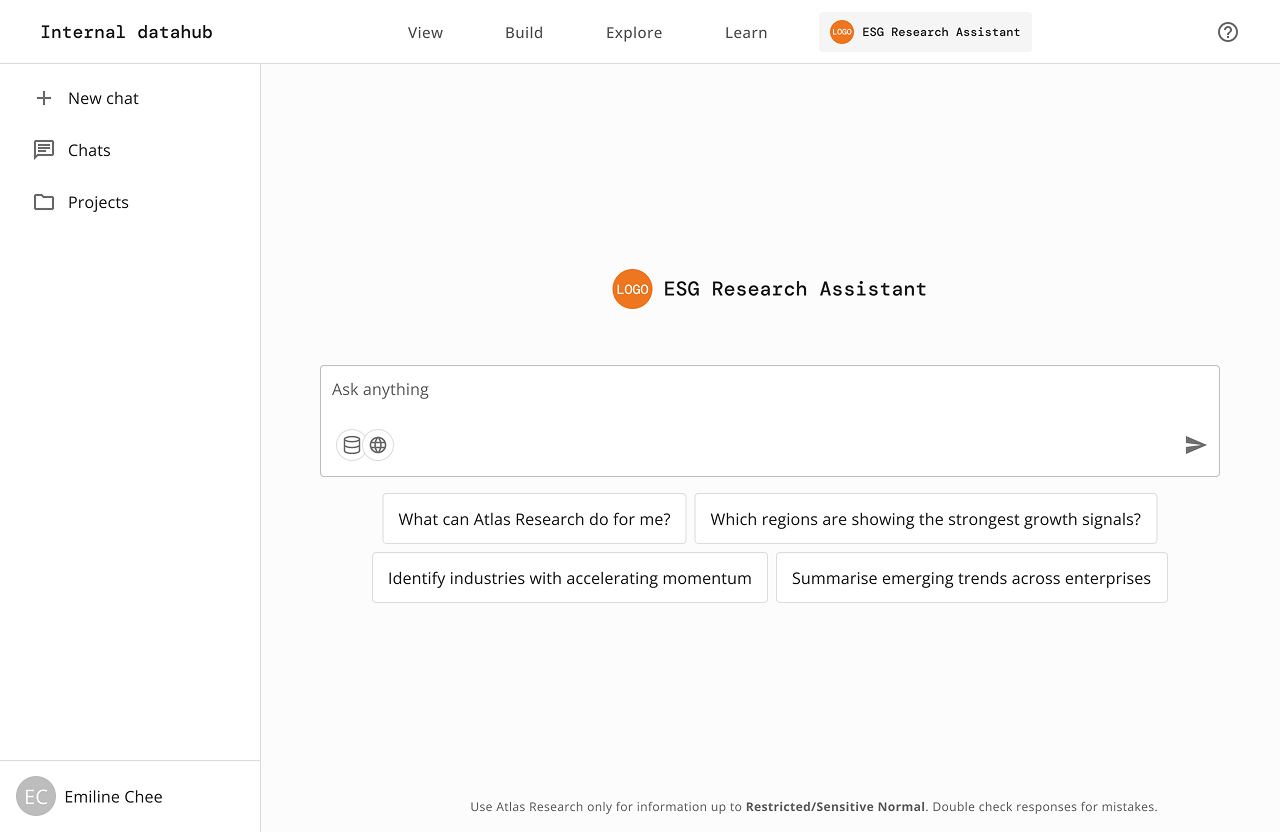
ESG Research Assistant

Bringing conversational AI to an internal ESG research platform

My Role

Solo product designer

CLient

Enterprise Singapore*

Status

Third round of beta testing in progress

Date

Oct 2025 - Jun 2026

* Logos and product name replaced to protect internal product identity.

Overview

Enterprise Singapore was building an AI-powered research assistant designed to help officers quickly access company and market intelligence stored across fragmented internal systems. The goal was to reduce the time spent on manual research and enable users to retrieve trustworthy, sourced information through natural language conversations. The agent draws from two source layers:

As the sole designer on this project, I owned end-to-end product design, working closely with the PM, AI engineer and dev team to ship more than 10 features, translating product requirements into buildable specifications across multiple beta rounds.

From chatbot to research platform

The product went through three distinct phases, each shaped by what we learned from the one before.

Phase 01: Concept

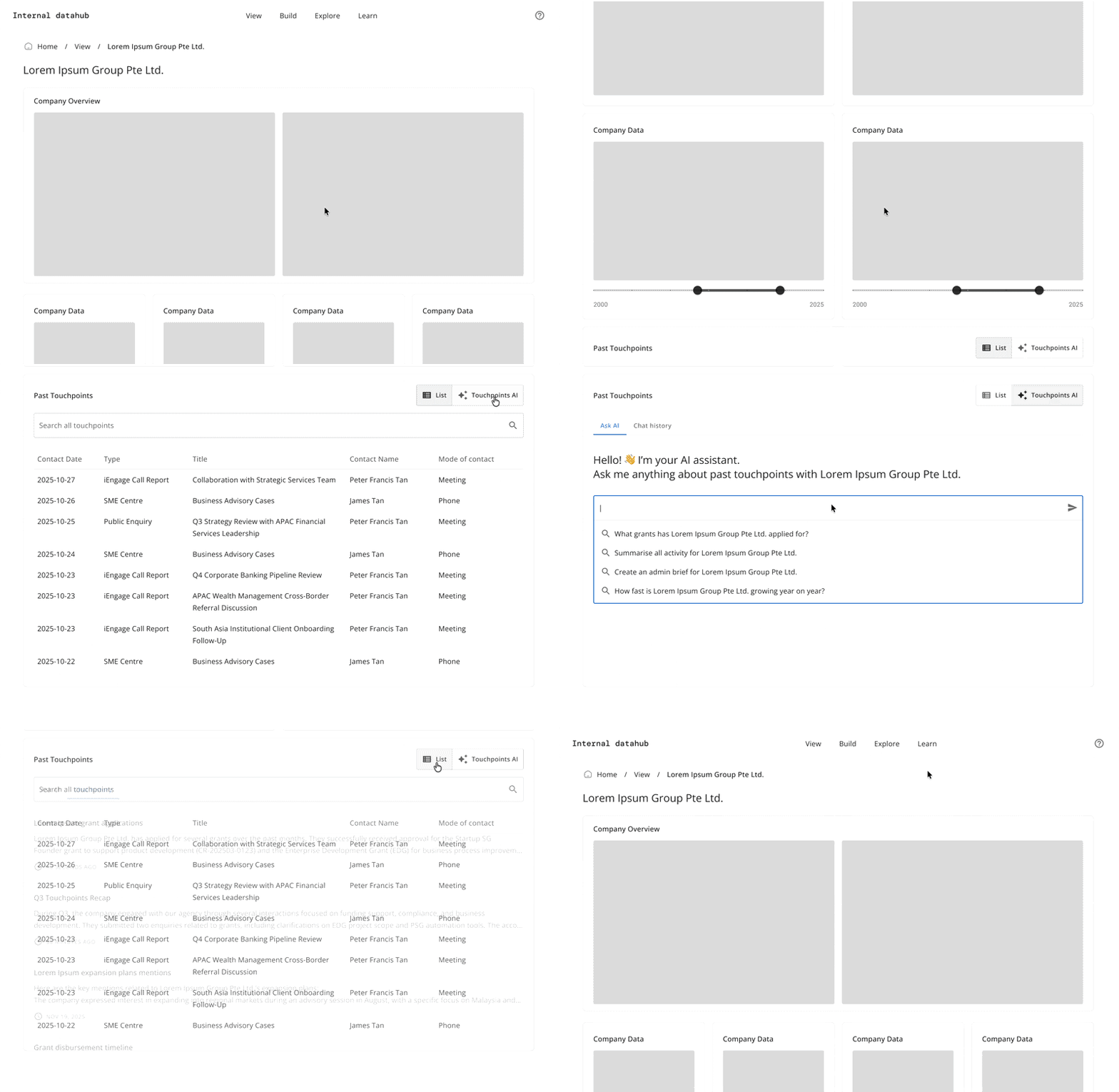
Touchpoints AI

A chatbot embedded within the "Past Touchpoints" section of a company-specific page within ESG's datahub. It's scoped entirely to that company's engagement history. Officers could ask questions about call reports, meetings, past interactions with that specific company without leaving their current view.

Assumption: officers want help in context, where they're already looking at.
Phase 02: BETA

Full-page chat + sidebar

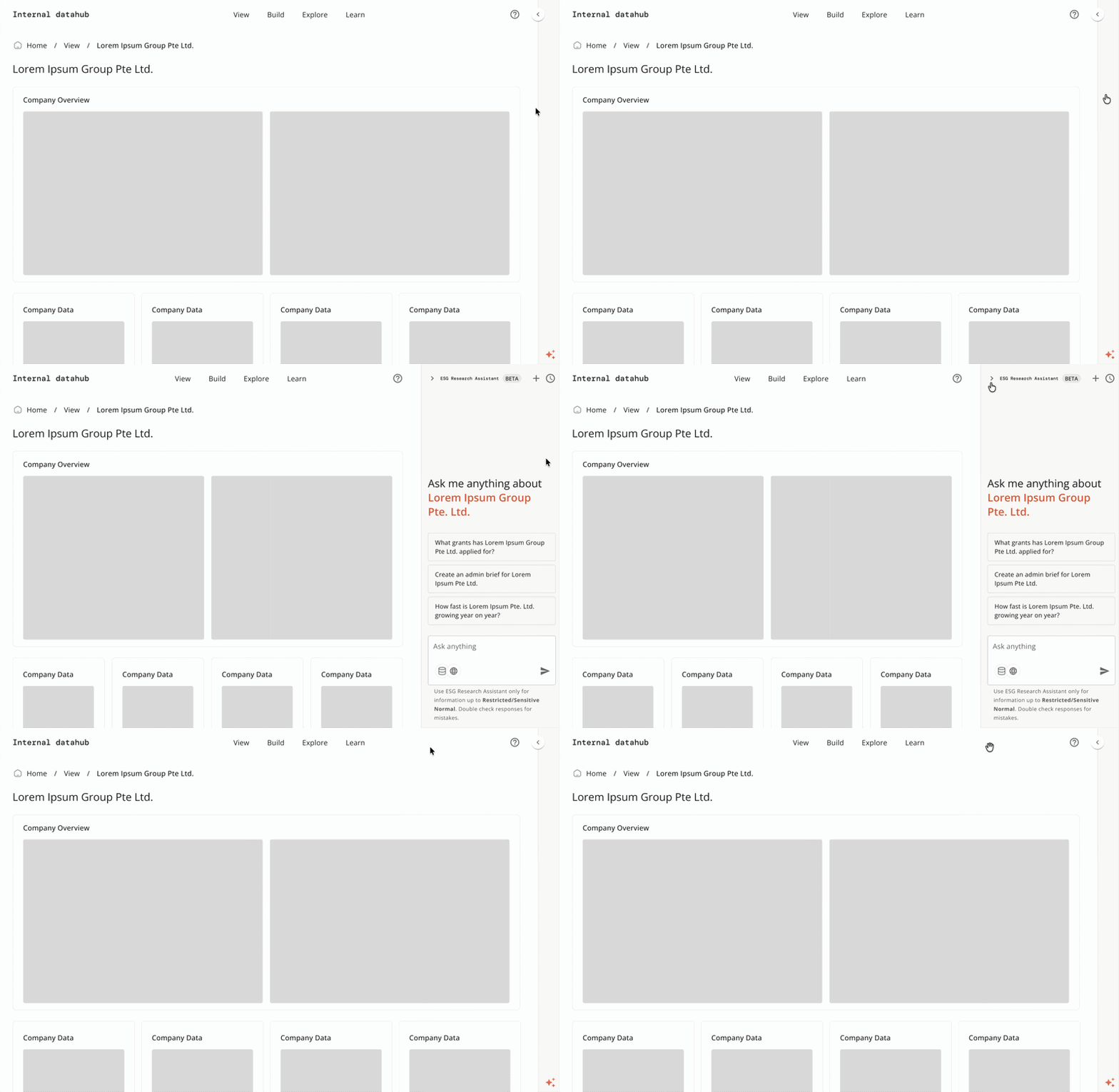
Expanded to a standalone full-page interface for broader research across internal and external sources. A sidebar chatbot was also built for company-specific queries — officers could use the full-page chat for open research and the sidebar when focused on one company. Beta testing showed officers consistently preferred the full-page experience for everything. The sidebar was decommissioned.

Insight: officers weren't just reviewing engagement history. They were synthesising across companies, sectors, and sources.
Phase 03: current

Agentic research platform

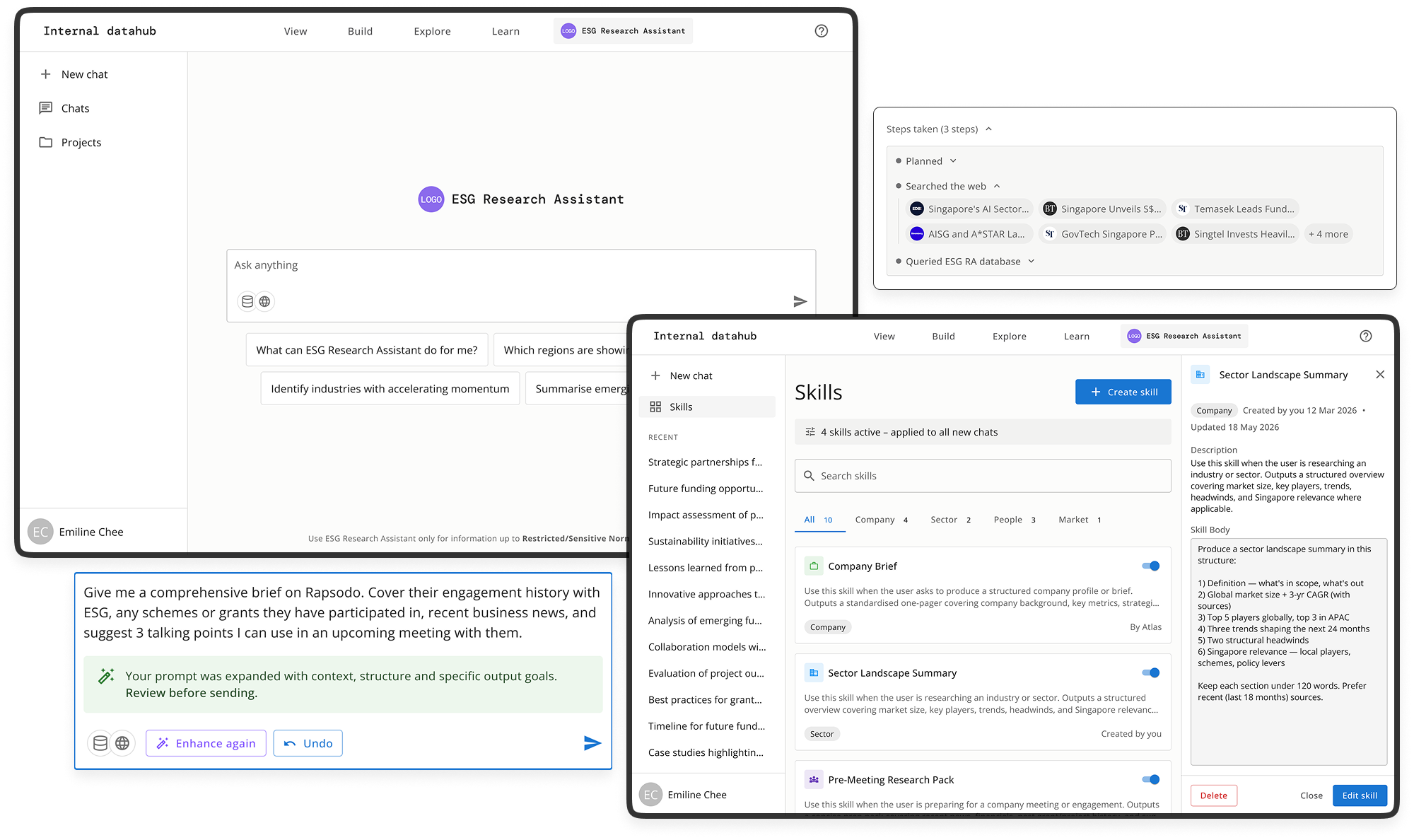
The company-specific focus the sidebar was trying to provide is now handled within the full-page interface through company scoping. Skills, prompt enhancement, and source attribution give officers control over how the agent works — not just what it searches.

Insight: the sidebar solved the right problem in the wrong place. Company scoping solved it within the surface officers actually wanted to use.
Research and validation

Beta testing

~70

Officers across divisions

2

Rounds of beta testing

3

Structured test cases per session

13

Features designed and iterated

The product has run two rounds of beta testing with approximately 70 officers across different divisions, each guided through three structured test cases designed to surface usability issues and unmet needs. Feedback from earlier rounds directly shaped the features built in subsequent sprints.

Top issues identified

As a user -

Context

I would like the agent to understand our context better. eg. sector resolution, brief format, writing/synthesis style.

Scope

I would like my queries to be grounded in a specific company without having to restate that context in every prompt

Reports

I would like to be able to open and review the underlying call reports directly within the interface, rather than being pointed to an external system

Control

I would like to resume an agent that has depleted its allocated budget (token/time/retries limits).

These findings shaped the next phase of design work. Below are five of the key features — what problem each solved, the decisions behind them, and what made each one non-trivial to get right.

Design work

Key features

Feature 01

Skills

Beta feedback made clear that officers were struggling to ask the agent for information in a way that produced useful results. Different users had different expectations for format, tone, and depth, and the AI had no way to account for that by default.

Skills are the response: small, reusable instruction bundles that teach the agent how to execute a specific task consistently. For example, an officer activating the "Sector Landscape Summary" skill gets a structured overview covering market size, key players, trends, etc. — without having to specify any of that in every prompt.
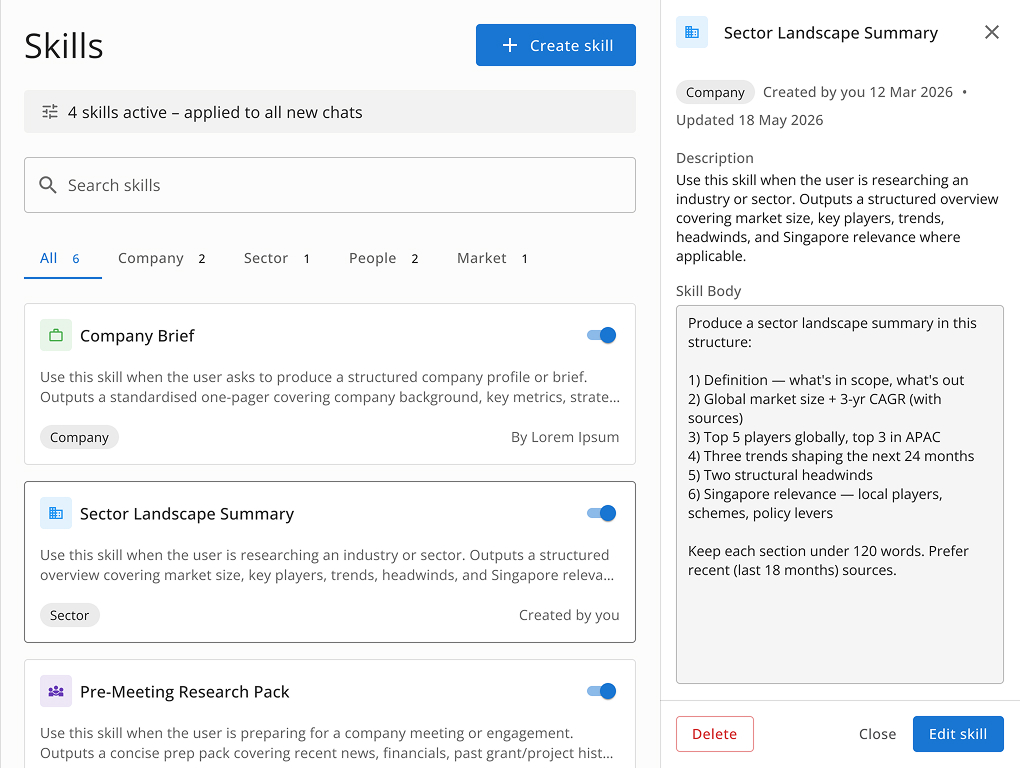
Skills library with detail drawer; browse, preview, and toggle without leaving the page

The design challenge was making skills feel lightweight and in-reach, not like a settings menu buried in a corner. The skills bar sits directly beneath the input box, always visible. A manage link opens a library and a drawer pattern lets officers browse the library while keeping chat context in view.
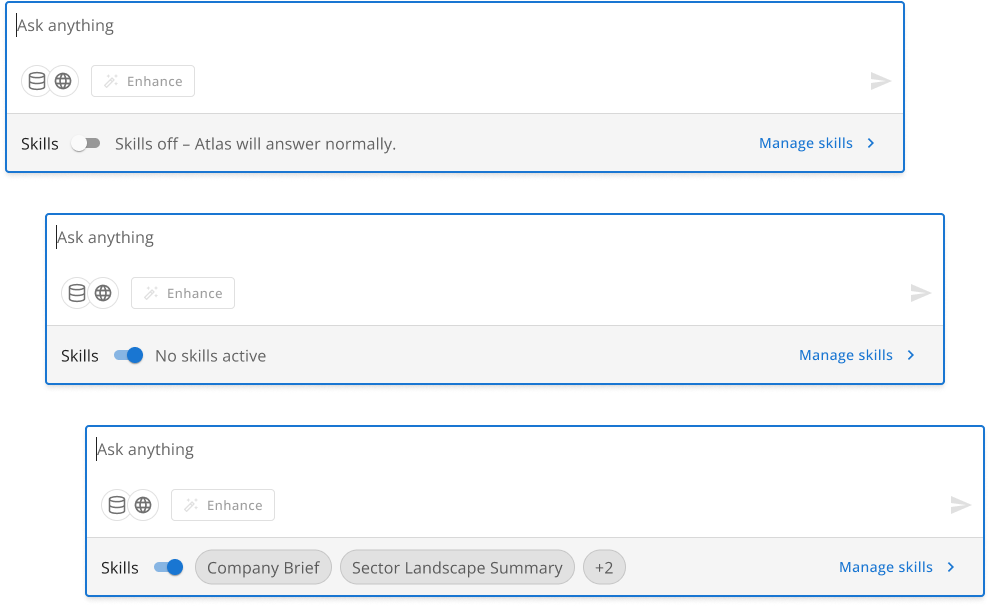
Skills bar within input box
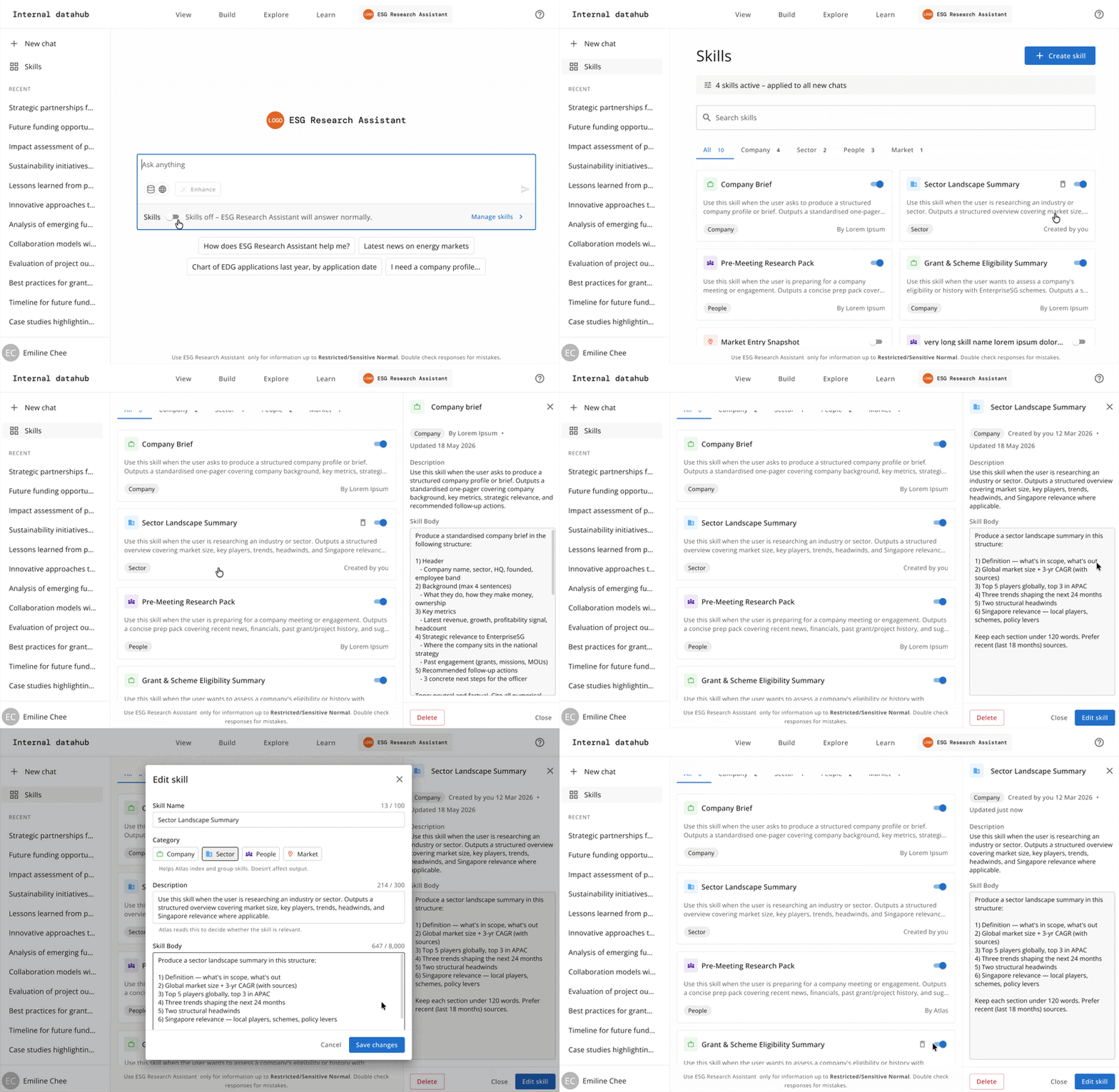
Prototype: activating a skill, browsing the library, previewing a skill detail and editing a skill
Feature 02

Company scoping

One of the more complex interaction problems was giving officers a way to direct queries at specific companies — without breaking the flow of starting a conversation. Early versions treated scope as a single-company toggle, but officer feedback made clear that the scope needed to support multiple companies and bulk selection, not just one entity at a time.

Key constraint

Company scope had to be set before the first message was sent. Changing it mid-session would invalidate the conversation context — so the entry point had to be clear and the locked state had to communicate itself, not surface as an error after the fact.

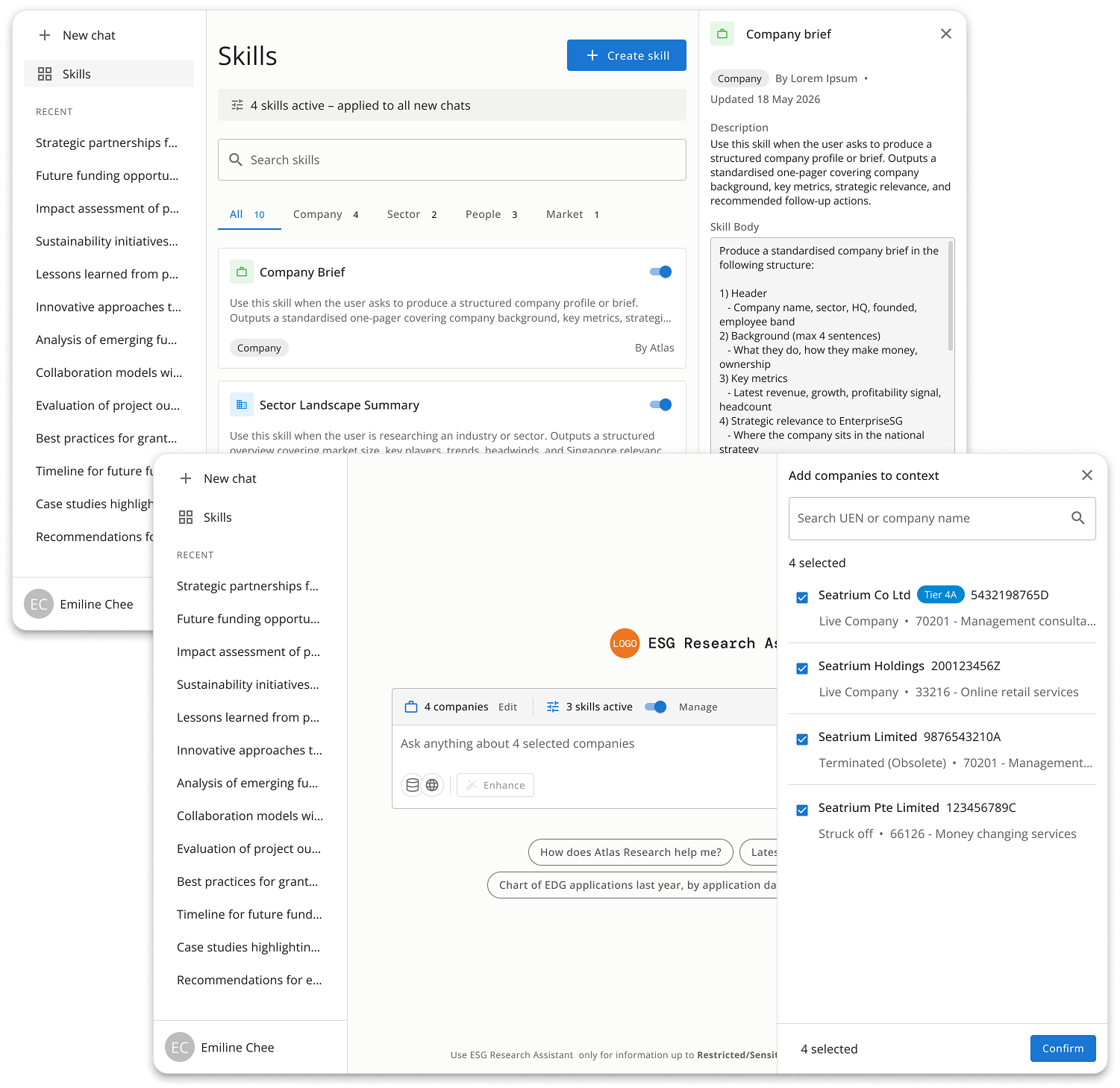
The current solution is a "+Add companies" button that opens a right-side drawer with two tabs: Search, for individual company lookup by name or UEN, and Groups, for saved and system-generated sets — sector lists, tier classifications, subsidiary clusters. Selections accumulate as a chip row inside the drawer before confirming, then surface as chips in a scope banner directly above the input once added.

A second round of PM feedback raised a related but distinct problem: officers starting a new chat couldn't always tell what was configured before they typed — was scope set, were skills active, would either silently affect their output? The fix was a config line — a persistent strip above the input that always states scope and skills status, even when both are empty ("No company scope"). This also resolved a redundancy issue: scope previously had two entry points, a toolbar button and the banner. The config line became the single source of truth, with the toolbar button removed entirely.