Workflow Builder

Designing a no/low-code digital workflow builder

Role
Solo product designer
Client
Enterprise Singapore
Status
Early stage design
Date
Mar 2026 - present
* Product name and assets replaced to protect internal product identity.

A note on this case study: in this project, I take an inconsistent, vibe-coded product and systemised it, grounded in testing workshops rather than formal UX research methods.

Overview

This case study covers the design of Enterprise Singapore's no/low-code workflow builder, from concept through to production.

The problem

Processing officers at Enterprise Singapore were repeating the same manual data checks across cases (eg. re-keying figures, cross referencing documents by hand). The work was rule-based enough to automate, but out of reach without engineering support.

Solution

A no/low-code workflow builder that allow officers to automate repetitive data tasks like extracting figures from documents or checking data against reference files.

Approach

We started from process mapping sessions with officers, then vibe-coded a first working version directly off those requirements rather than starting from wireframes to get something real in front of users fast. Further sessions and testing workshops with small teams shaped the design from there.

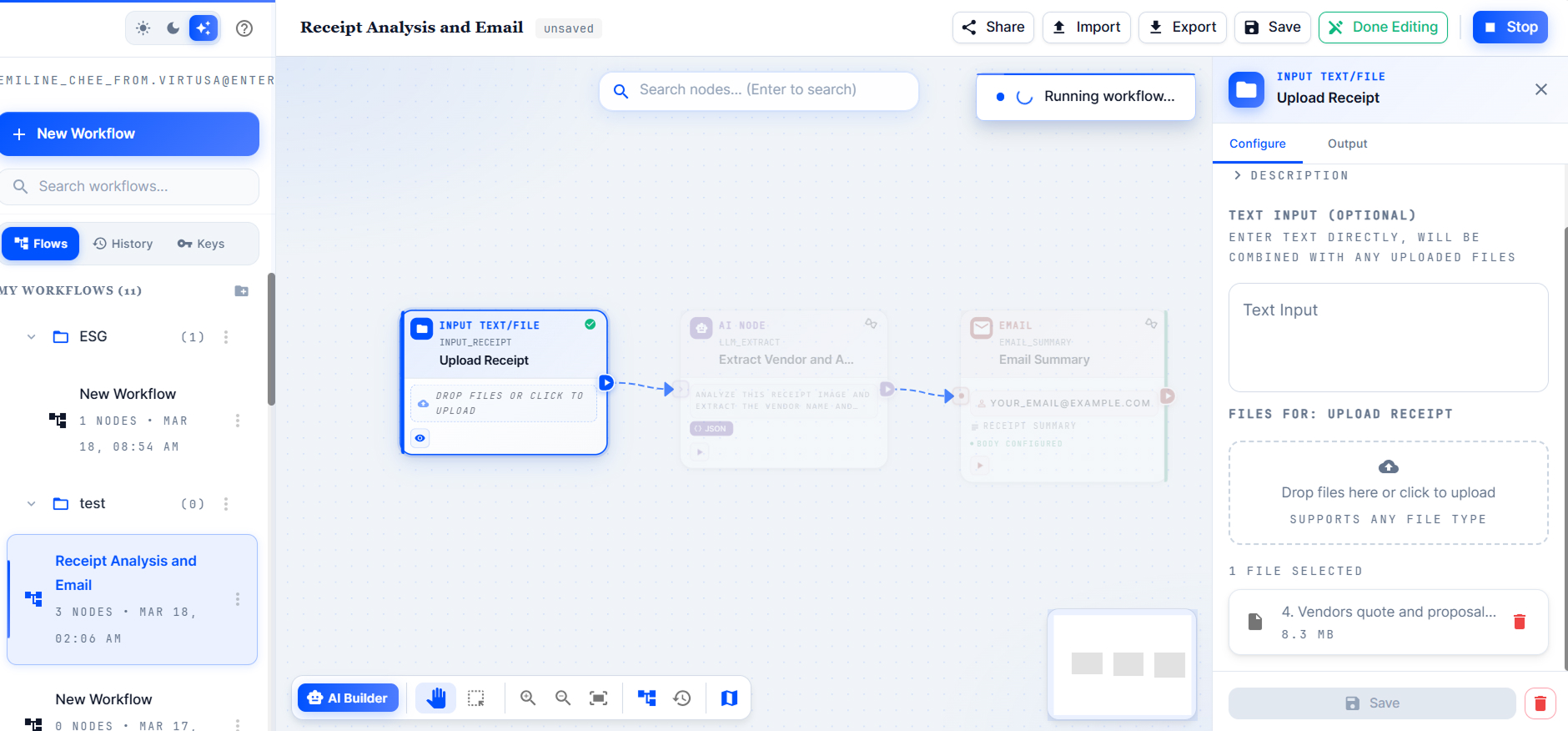
Early vibe-coded version of the canvas

As the sole designer, I owned the designs of the canvas editor, node system, and configuration panels, working closely with the PM and front-end developer, and building on the same MUI design system as Research Assistant to keep the two products consistent for officers moving between them.

The canvas

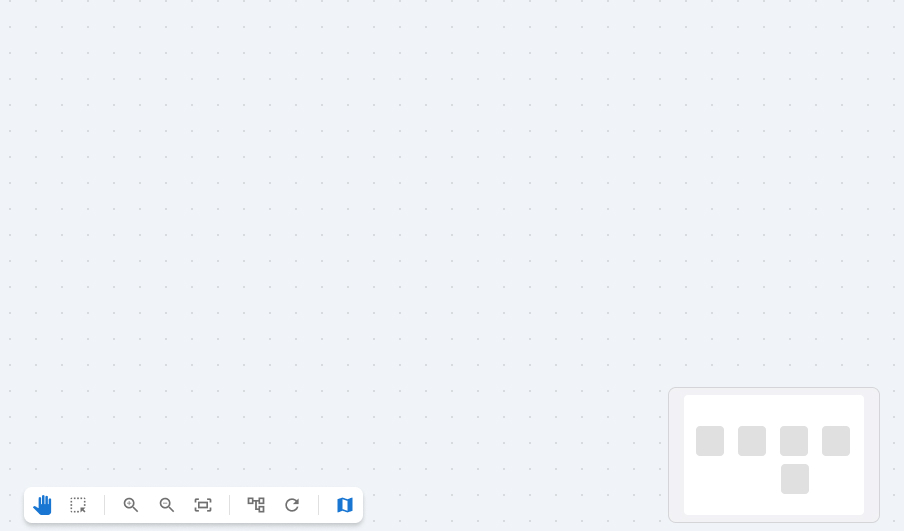
The canvas is the blank space officers build on — a dot-grid workspace with a floating action panel and a minimap preview panel for orienting on larger workflows

The blank canvas — dot grid, floating action panel, and minimap preview

Watching officers build unguided surfaced a specific gap: mid-run, there was no way to tell what state a workflow was in without clicking into individual nodes. An officer would kick off a run and then have no reliable way to answer "is this still going, did it fail, or is it done?" from the canvas alone.

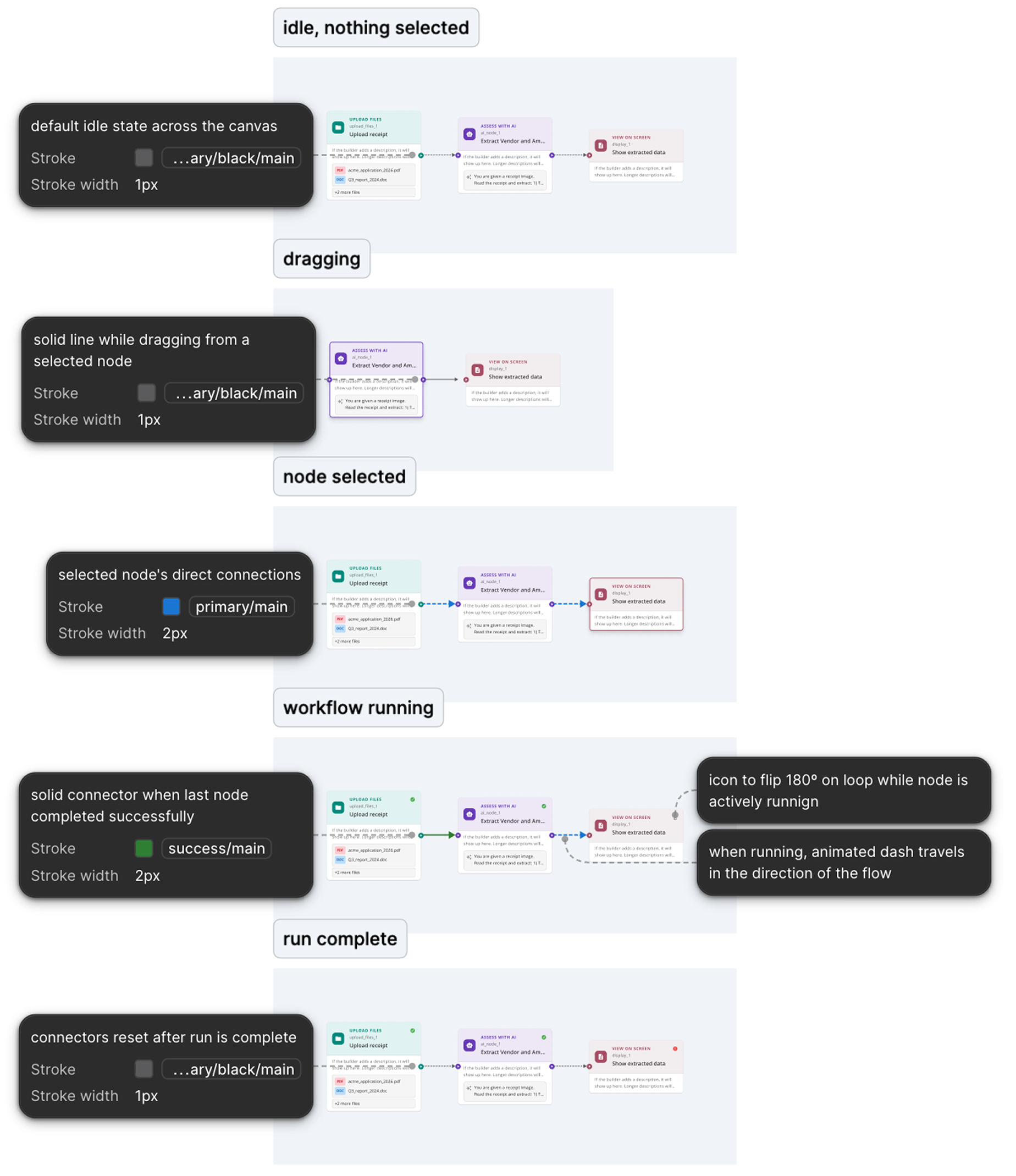
Most of the design work here went into solving that through connector states rather than through a separate status panel — keeping the answer on the canvas itself, next to the nodes it referred to. Connectors move through five states: idle, dragging, node selected, workflow running, and run complete.

Connector states, annotated in Figma for handoff to the front-end dev

Nodes

The clearest sign that the vibe-coded product hadn't been designed as a system was the nodes. For example, Input File was blue, Reference File was pink, and the two had different colours, card structures, and field layouts despite doing conceptually similar jobs.

The inconsistency went beyond colour too. Across categories, different nodes surfaced different kinds of information and actions directly on the card, with no shared logic for what belonged on the canvas versus inside the config panel.
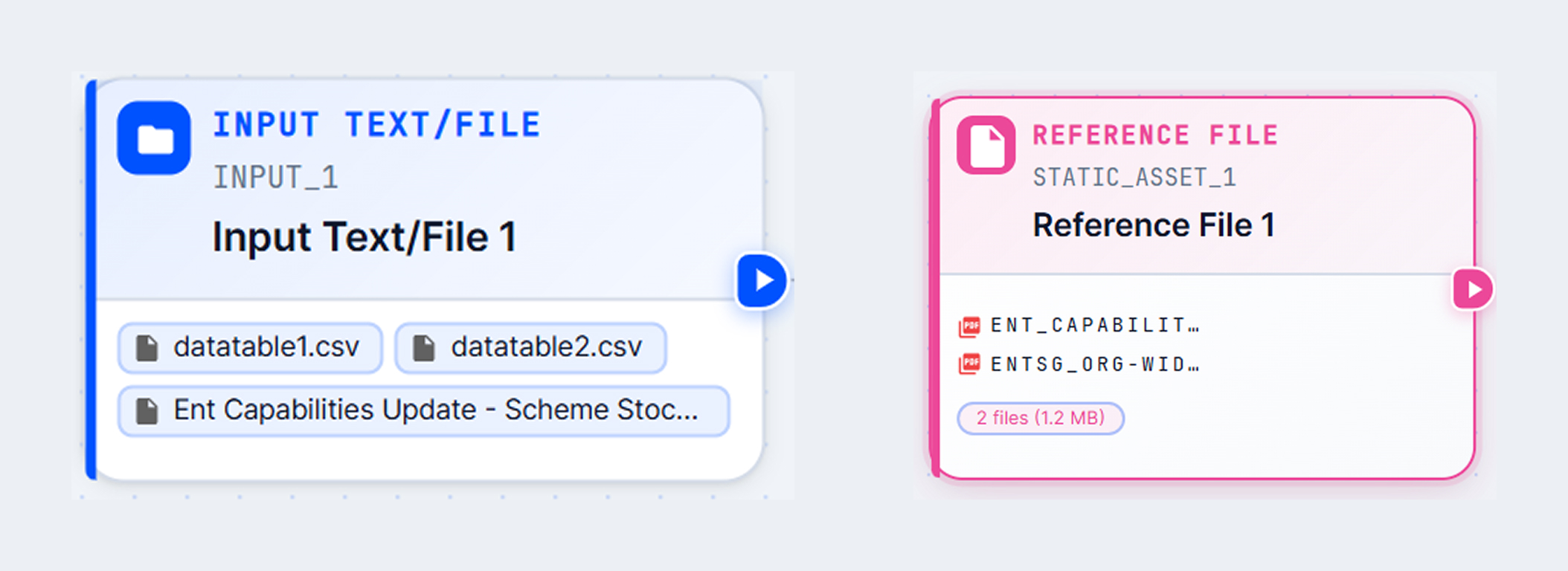
Vibe-coded input nodes; each with their own colour and card structure.

Vibe-coded nodes across categories with no shared pattern.

If every node looked and behaved differently, officers had to learn each one individually rather than transferring what they already knew, which worked against the point of a no-code tool built for people without technical backgrounds.

I worked through the node library by category — input nodes first (upload files, reference files, web search), since those were what every workflow started with, then output nodes (display, email), then the more complex processing nodes (AI, Python, loop, if/else), where the underlying logic was hardest to hide. Data nodes are the next stage.
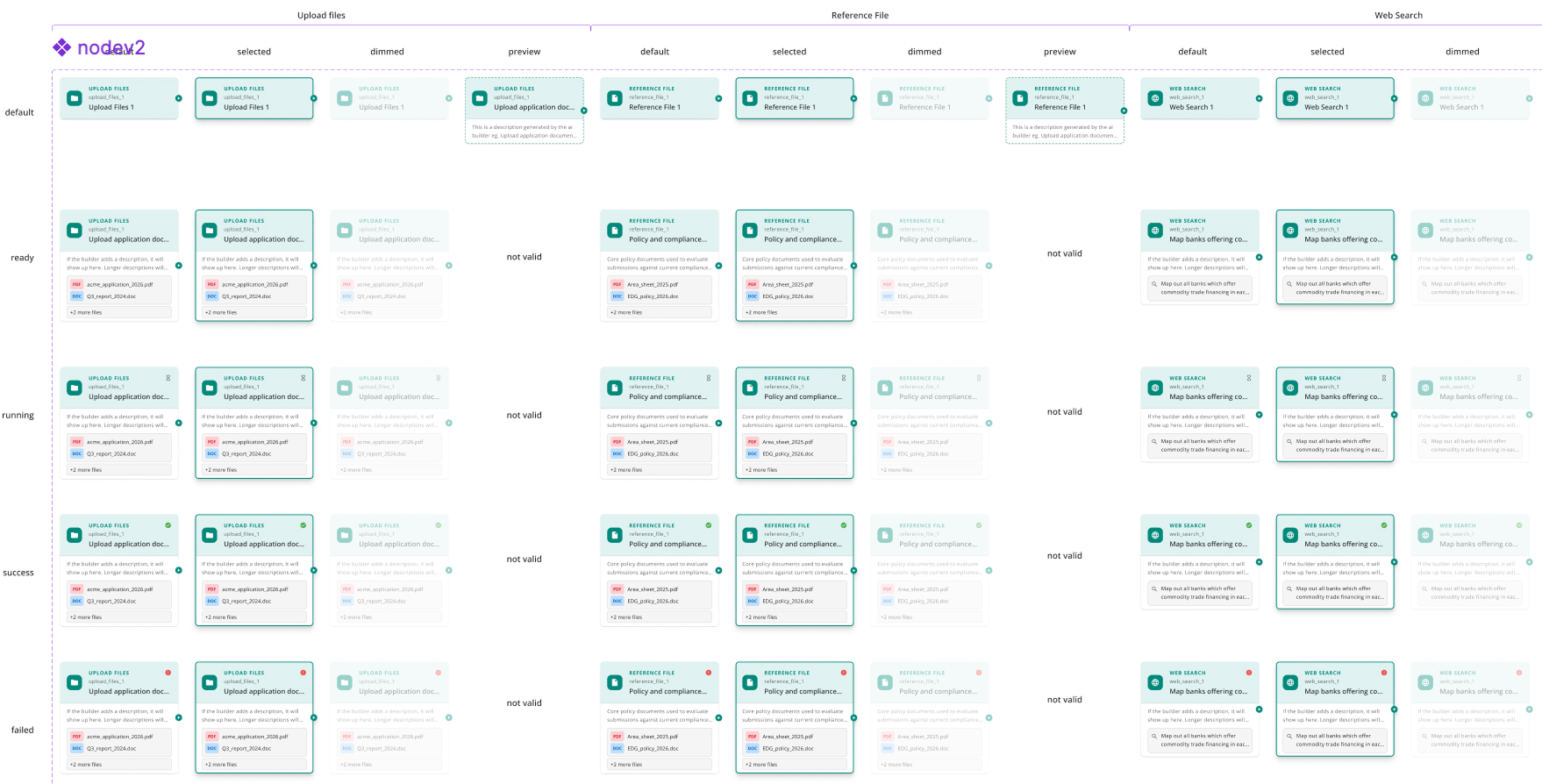
Refreshed input nodes - same teal system and card layout

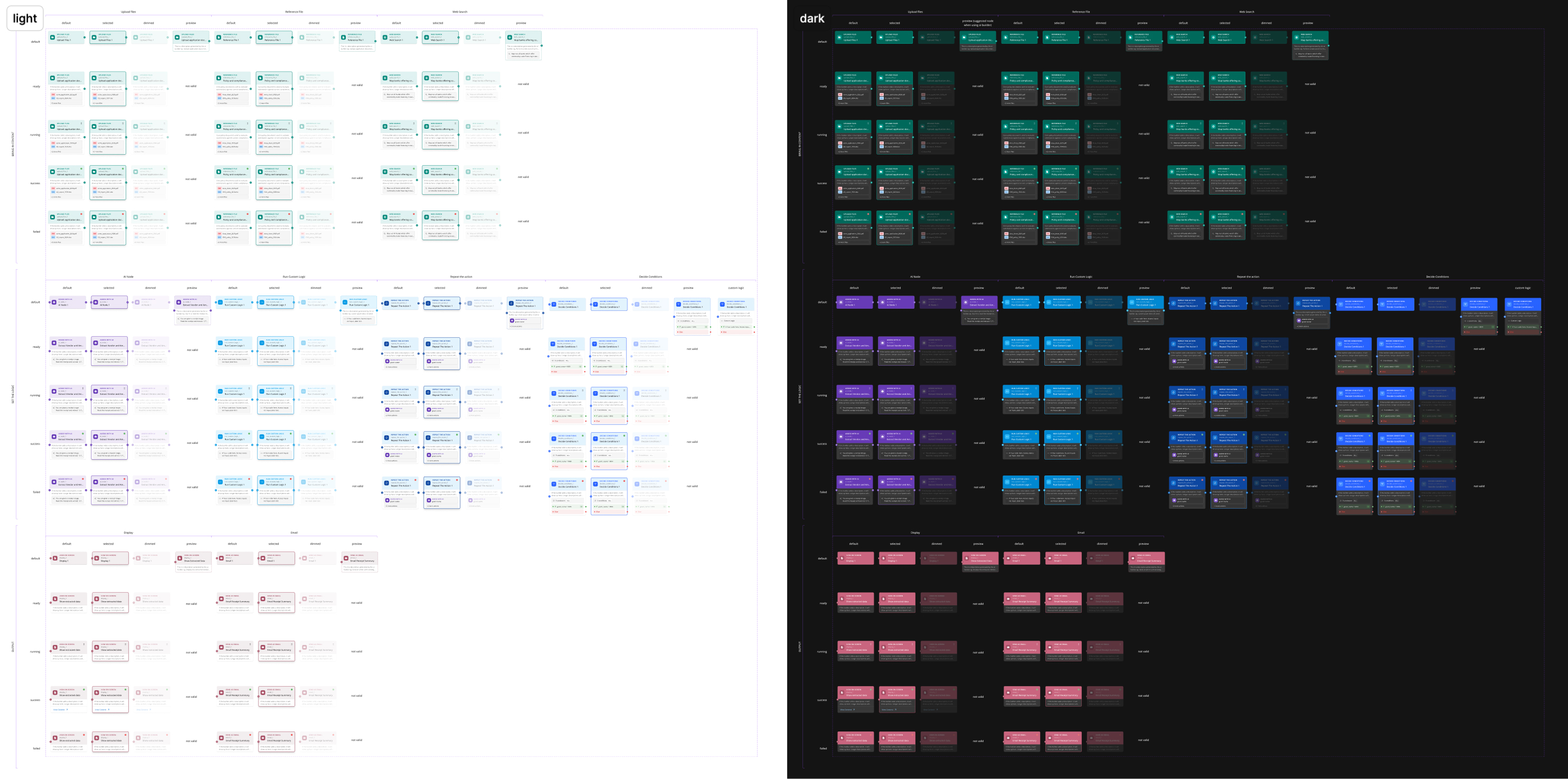
Consistency was the focus from here on. I brought nodes within each category onto a shared visual system — one colour family per category, a common card layout, matching icon treatment, and the same state set (default, ready, running, success, failed). An officer who understood the Upload Files node could now read the Reference File one without re-learning it.

I applied the same approach across every category, so the node library reads as one system regardless of what a node does or how complex its underlying logic is in both light and dark mode.

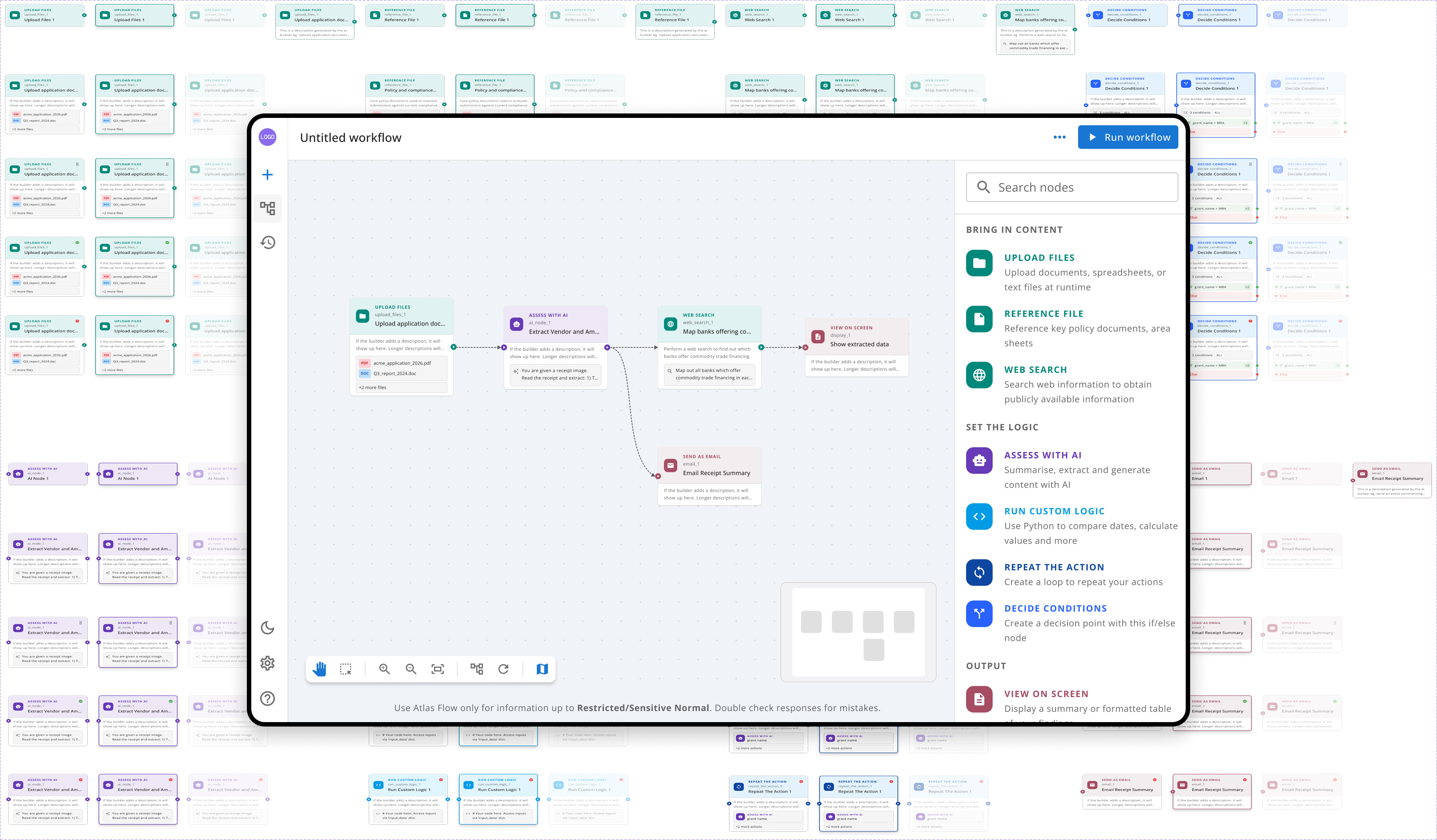
Full node library across all states, light and dark mode.

Configuration panels

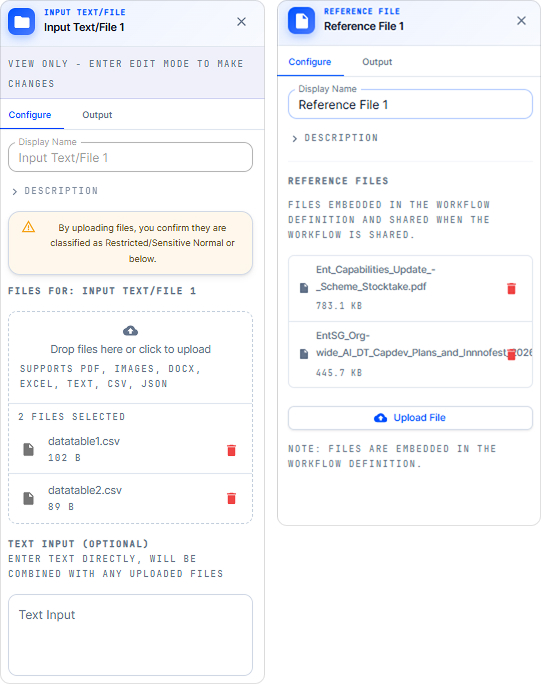
Configuration panels had the same problem as the nodes in the vibe-coded version — each one designed independently, with no shared pattern for field order, labelling, or how "view only" steps were communicated. Input File and Reference File, despite configuring near-identical things, looked and behaved like two unrelated tools.

Vibe-coded config panels — inconsistent field order and structure.

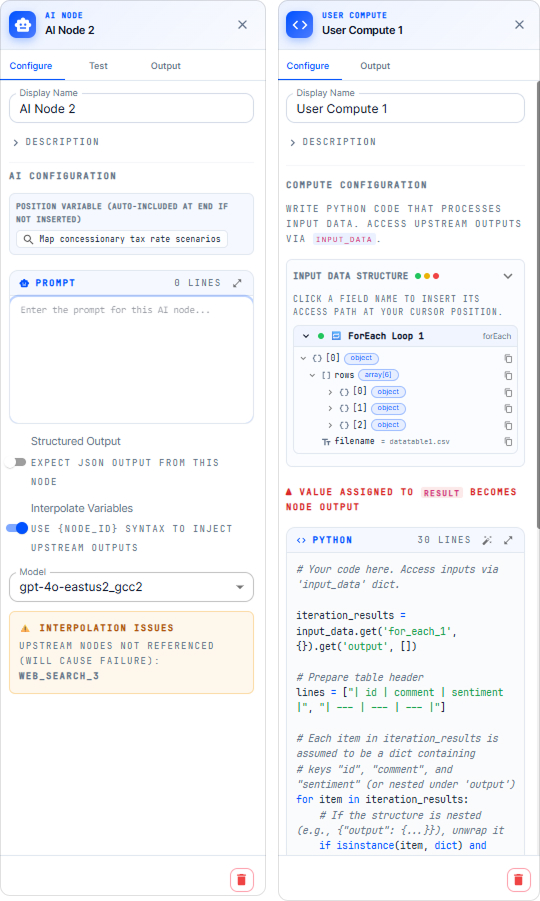
Beyond inconsistency, some config panels were simply too technical for a layman officer to use confidently — raw Python code blocks, JSON structure trees, model IDs, and interpolation syntax like {node_id} sat directly in the panel with no translation layer for someone without an engineering background.

Vibe-coded AI and Python node config panels

I applied the same approach across every category — input, processing, and output — so the node library reads as one system regardless of what a node does or how complex its underlying logic is: consistent card structure and consistent state set, in both light and dark mode.

Full node library across all states, light and dark mode.
other projects

Lorem ipsum dolor sit amet, consectetur adipiscing elit. Suspendisse varius enim in eros elementum tristique. Duis cursus, mi quis viverra ornare, eros dolor interdum nulla, ut commodo diam libero vitae erat. Aenean faucibus nibh et justo cursus id rutrum lorem imperdiet. Nunc ut sem vitae risus tristique posuere.